
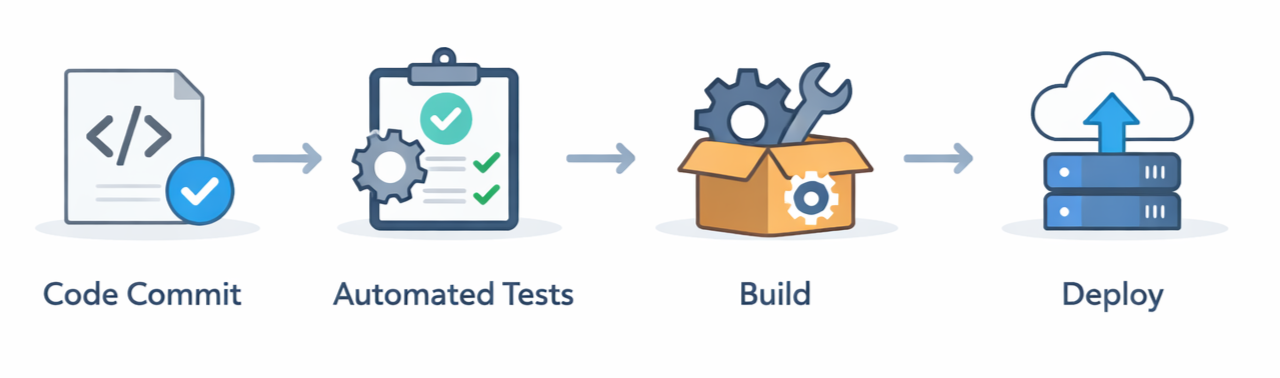
Your code goes live at 3 PM. By 3:05 PM, it's tested, validated, and running across every server. Your team isn't scrambling. Slack isn't on fire. Nobody's canceling their weekend plans. This isn't a fantasy, it's what happens when you choose the right DevOps tools.
Chennai's tech landscape is booming, and the companies winning aren't the ones with the most expensive tools. They're the ones who made smart, intentional choices about what to use and why. If you're evaluating DevOps strategies, assessing your current stack, or trying to understand what competitive companies are actually running, this is for you.
Let's walk through the specific tools and stacks that are powering Chennai's fastest-growing companies right now.
Why Your DevOps Tool Stack Actually Matters
Here's the uncomfortable truth: 68% of digital transformation initiatives fail not because the vision is flawed, but because execution falls apart. Most of the time, that's a tooling problem. The right DevOps stack does three critical things. It speeds up deployment cycles from weeks to hours. It reduces human error through automation. And it enables your team to scale without hiring proportionally more engineers.
But there's no universal stack. A 10-person startup has entirely different needs than a 500-person enterprise. What works for one organization might create complexity and cost for another. That's why understanding what leading companies are actually using matters more than following generic best practices.
Core DevOps Components: The Tools That Matter
Every serious DevOps implementation rests on several foundational pillars. Let's break down what Chennai's top performers are using across each category.
Version Control & Source Code Management
Git has won decisively. Every company serious about DevOps uses Git. The platform choice, however, varies.
GitHub dominates for distributed teams. It's the default for open-source projects and has an enormous community. If your engineers already know GitHub, the switching cost of moving elsewhere isn't worth it.
GitLab is quietly winning among enterprises. Here's why: it's an all-in-one platform. You get source control, CI/CD pipelines, security scanning, and project management without switching between four different tools. For teams managing complexity, GitLab reduces context-switching significantly.
Bottom line: GitHub for team alignment and community. GitLab for reducing tool sprawl.
Continuous Integration and Continuous Deployment (CI/CD)
This is where deployment speed actually happens. Your CI/CD pipeline is the difference between deploying once a month and deploying multiple times daily.
Jenkins remains incredibly popular despite being older technology. It's open-source, has 1,800+ plugins, and handles virtually any workflow. The trade-off? It requires someone who knows how to configure and maintain it.
GitHub Actions is the new favorite for GitHub users. It's native to GitHub, requires minimal setup, and works beautifully for most teams. No separate platform, no duplicate authentication.
GitLab CI/CD is the sweet spot for teams using GitLab. Define your pipeline in .gitlab-ci.yml, commit it to your repo, and you're done. It's simple, version-controlled, and integrates perfectly with GitLab's other features.
Bottom line: Use whatever integrates best with your version control system.
Containerization & Orchestration
Docker has solved the "works on my machine" problem. Your application and all its dependencies get packaged into a container that runs identically on a developer's laptop, a staging server, or production.
But containers at scale need orchestration. Kubernetes manages containerized applications across clusters, handling scaling, load balancing, and self-healing automatically.
However, Kubernetes isn't always necessary. For simpler deployments, Docker Swarm or AWS ECS provide 80% of the benefit with far less complexity.
For most startups: Docker + managed orchestration (ECS, EKS) works better than self-managed Kubernetes.
Cloud Platforms
Most Chennai companies have abandoned on-premises data centers. The question isn't "should we go cloud?" but "which cloud?"
AWS holds the largest market share. It has the most services, the deepest community, and the widest integration ecosystem. For DevOps teams in Chennai, AWS expertise is essentially table stakes.
Microsoft Azure excels among enterprises with existing Microsoft relationships, especially in finance and healthcare.
Google Cloud Platform attracts companies focused on data analytics and machine learning.
Three Real DevOps Stacks Actually Used in Chennai
Theory is useful, but here's what's actually working for companies right now.
Stack 1: The Cloud-Native Startup Stack
Used by: SaaS startups building modern applications
The tools:
- GitHub + GitHub Actions
- Docker + Kubernetes (on AWS EKS)
- Terraform for infrastructure
- Datadog for monitoring
- Slack + PagerDuty
Why this stack? Every tool integrates seamlessly. GitHub Actions is native to GitHub. EKS removes the operational burden of managing Kubernetes. Datadog provides complete visibility without your team building and maintaining monitoring infrastructure.
Stack 2: The Enterprise Hybrid Stack
Used by: Established companies with legacy systems and multiple teams
The tools:
- GitLab (unified platform)
- GitLab CI/CD
- Docker + Kubernetes
- Terraform + Ansible
- Multi-cloud (AWS + Azure)
- Splunk or ELK Stack for logging
- Slack + Opsgenie
Stack 3: The Cost-Optimized Stack
Used by: Bootstrapped startups maximizing open-source tools
The tools:
- GitLab Community Edition (free)
- Jenkins
- Docker
- Self-managed Kubernetes
- Terraform
- Prometheus + Grafana
- ELK Stack
The Tools Beyond the Basics
If you're evaluating stacks, these tools matter equally to the ones above.
Infrastructure as Code
Terraform is the standard for multi-cloud infrastructure management. You write declarative configuration files describing your desired infrastructure state, and Terraform makes it happen across AWS, Azure, GCP, or your own data center.
Ansible handles configuration management. It's agentless, uses simple YAML syntax, and works brilliantly for managing existing servers alongside containerized applications.
Monitoring & Observability
Prometheus + Grafana has become the open-source standard. Prometheus scrapes metrics. Grafana visualizes them in beautiful dashboards.
Datadog and New Relic are commercial platforms that handle monitoring, APM, logging, and tracing in a unified interface. They work out of the box with minimal configuration.
ELK Stack (Elasticsearch, Logstash, Kibana) handles log aggregation. When you're running dozens of microservices, centralized logging is non-negotiable.
Team Coordination
Slack has become the communication hub for tech teams. Critical alerts and deployment notifications flow to the right people automatically.
PagerDuty or Opsgenie handle incident management. When something breaks in production, these platforms ensure the right engineer gets alerted immediately.
What Actually Differentiates the Winners
We've talked about tools, but here's what really matters: the organizations using these stacks effectively aren't the ones with the most expensive tools. They're the ones who picked tools that match their specific needs and maintained discipline around using them consistently.
The startup using GitHub Actions, Docker, and Prometheus is moving faster than the enterprise with Datadog and comprehensive monitoring if that enterprise hasn't established clear deployment processes.
The real competitive advantage isn't tools. It's the discipline to use them properly.
Choosing Your Stack: A Practical Framework
If you're evaluating what's right for your organization, here's how to think about it.
Start with your current state. What technologies does your team already know? Building on existing knowledge accelerates adoption massively.
Define your scale. How many applications? How many services? How many teams? Your answers determine which tools make sense.
Evaluate integration. The best DevOps stacks are integrated ecosystems. Test how well each tool connects to the others before committing.
Consider total cost of ownership. Licensing is just one cost dimension. Budget for training, setup, ongoing maintenance, and tool expertise.
Prioritize community and documentation. Choose tools with strong communities. When something breaks at 2 AM, you need answers quickly.
Common Mistakes When Choosing a Stack
Adopting enterprise tools too early. Most startups don't need Datadog's full feature set. Start with Prometheus, upgrade when you hit its limitations.
Ignoring your team's skill level. An amazingly flexible tool that your team doesn't understand is worthless. Start with tools your team can master quickly.
Optimizing for cost before you've found product-market fit. In early stages, choose tools that reduce operational overhead, not licensing costs.
Following trends instead of solving problems. Kubernetes is excellent for specific problems. It's wrong for many applications.
Measuring Your Stack Choice: Key Metrics
How do you know if your stack is working? Track these metrics.
Deployment frequency: How often do you push code to production? Daily? Weekly? Leaders deploy multiple times daily.
Lead time for changes: How long from committing code to running in production? Leaders achieve this in hours.
Mean time to recovery: When something breaks, how quickly do you fix it? Leaders restore service within minutes.
Change failure rate: What percentage of deployments cause problems? Leaders keep this below 15%.
These are the DORA metrics the industry standard for measuring DevOps effectiveness.
Ready to Evaluate Your Stack?
Understanding what leading companies are using gives you a baseline. The next step is evaluating what's right for your specific situation. Every organization's stack should reflect their business needs, their team's capabilities, and their growth trajectory. There's no universal right answer.
That's exactly where DevOps consulting services in Chennai can help. A good consultant brings experience from dozens of organizations, helping you avoid costly mistakes and choose tools that actually solve your problems.
Get Your Free Stack Assessment
We'll evaluate your current infrastructure, understand your constraints, and identify which tools would have the highest impact for your situation.
Book Your Free DevOps Assessment
The companies that thrive aren't the ones with perfect tools. They're the ones that picked good tools for their situation and relentlessly optimized their processes. Let's get your organization there.
